Open Demo on ZuluTrade.Step by step.
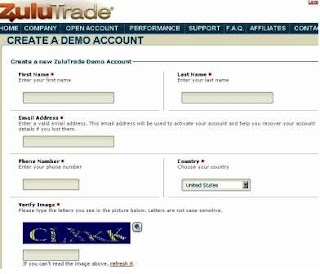
I think it`s time to test our system .Please visit our site zulupro.zulutrade.com Step1. Click on OPEN ACCOUNT on the top menu of the website or OPEN FREE ACCOUNT. Step2. At a 'sign-up' webpage, please click on open a demo account (link on the left). Step3 Now you are on the CREATE A DEMO ACCOUNT page (a screen-shot is shown below). An important tip: always use the same email address for each account you set-up at Zulutrade, even when you set-up a live account later as the system will then let you switch between accounts from the same interface as it will recognise that they are all your accounts, so be sure to use a reliable email address that you can keep using during registration.Please complete the demo account sign-up form by entering your first and last name, email address, phone number and then select Country, enter the verification code and click the Creat e my Demo Account button at the bottom. Step4 Once you click the Create my Demo Acco...